UE像素流UE与JS互相通信

测试版本UE5.0.3
UE通信JS
ue把数据传输到js
前端添加代码:
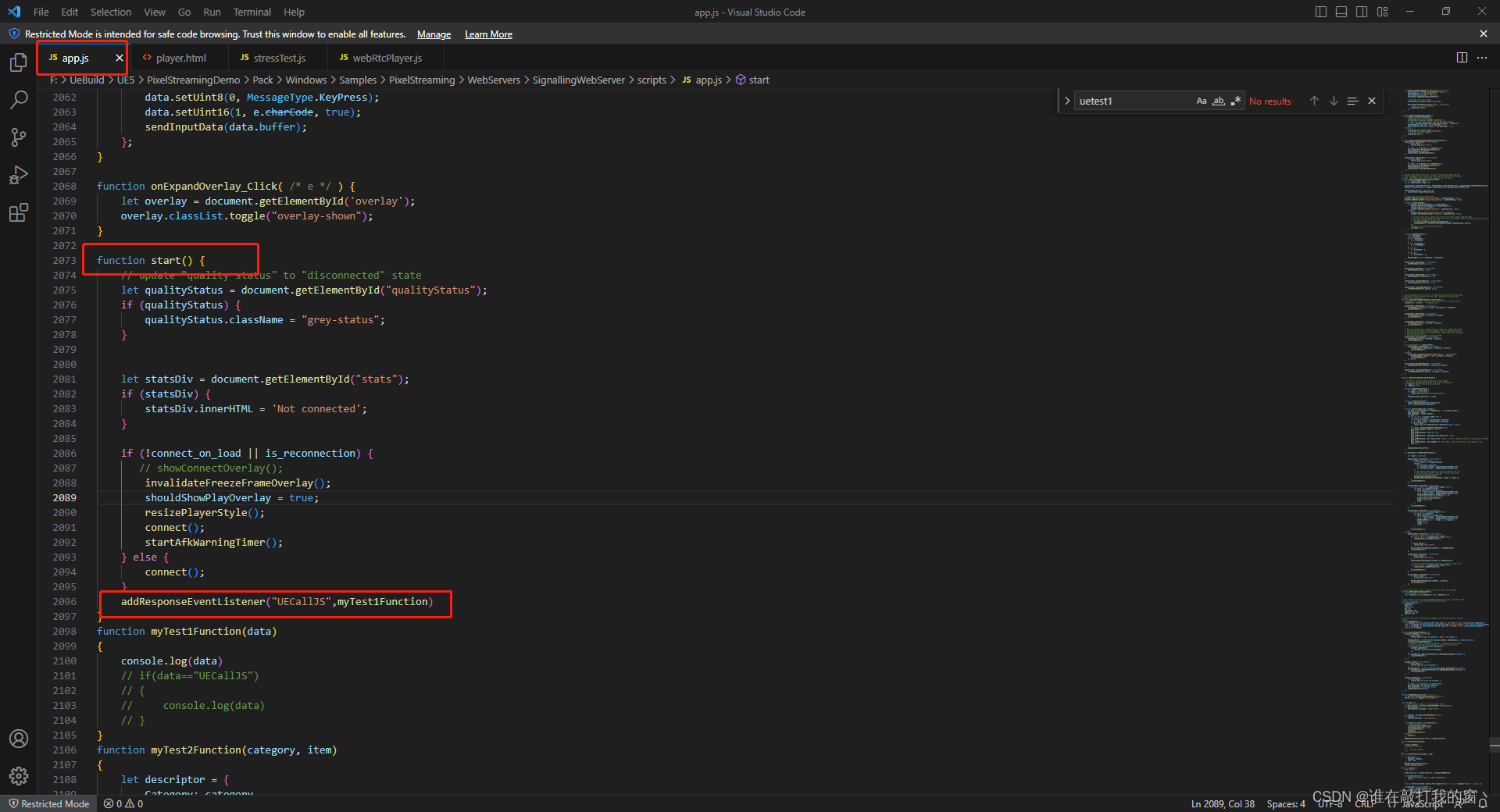
在app.js start()方法中添加监控事件
1 | addResponseEventListener("UECallJS",myTest1Function) |
移除监听
1 | removeResponseEventListener("UECallJS") |
1 | function myTest1Function(data) |
UE中添加蓝图:
创建一个Actor并且添加”PixelStreamingInput”的组件,把Actor放入场景中
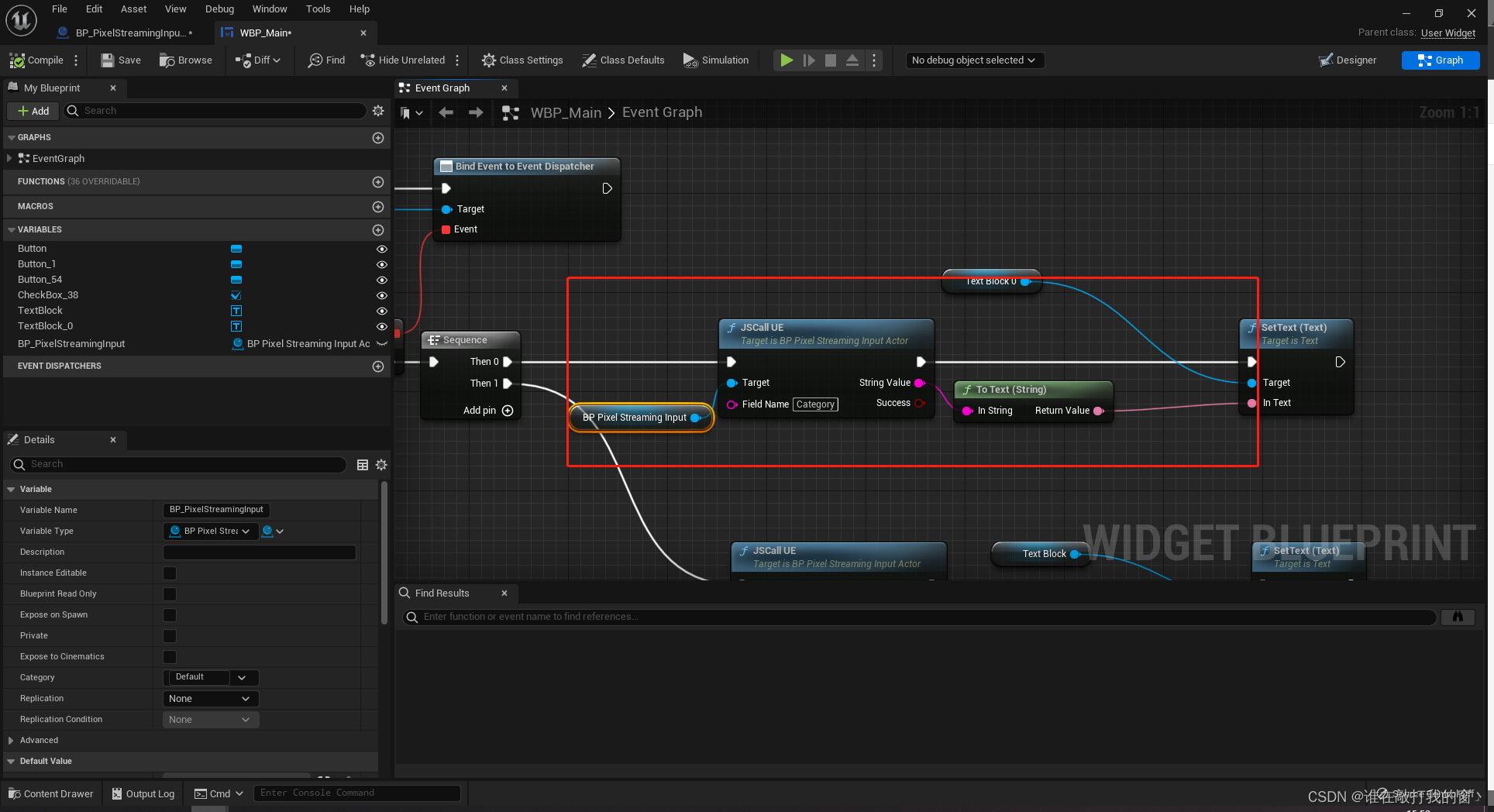
使用SendPixelStreamingResponse节点把UE中的数据传输到JS端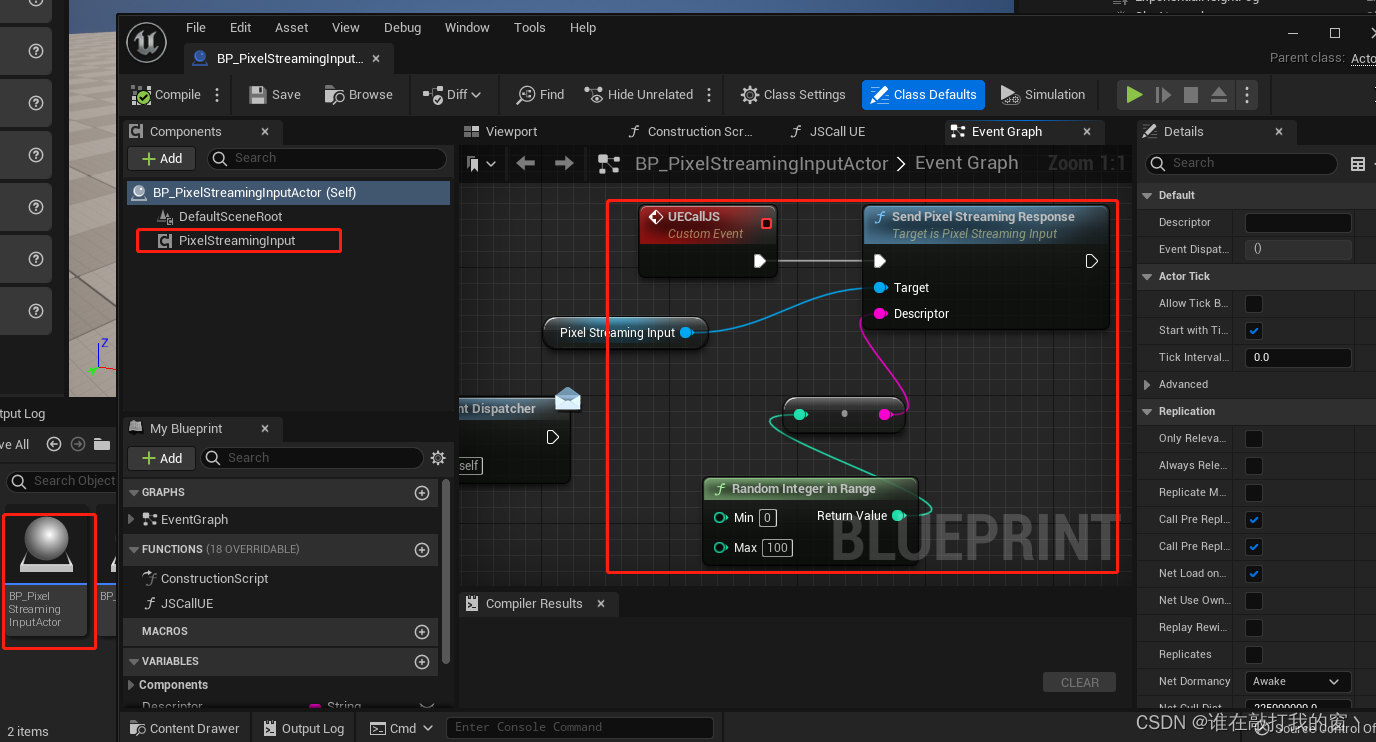
点击UE中的按钮JS会进行打印UE传输过来的数据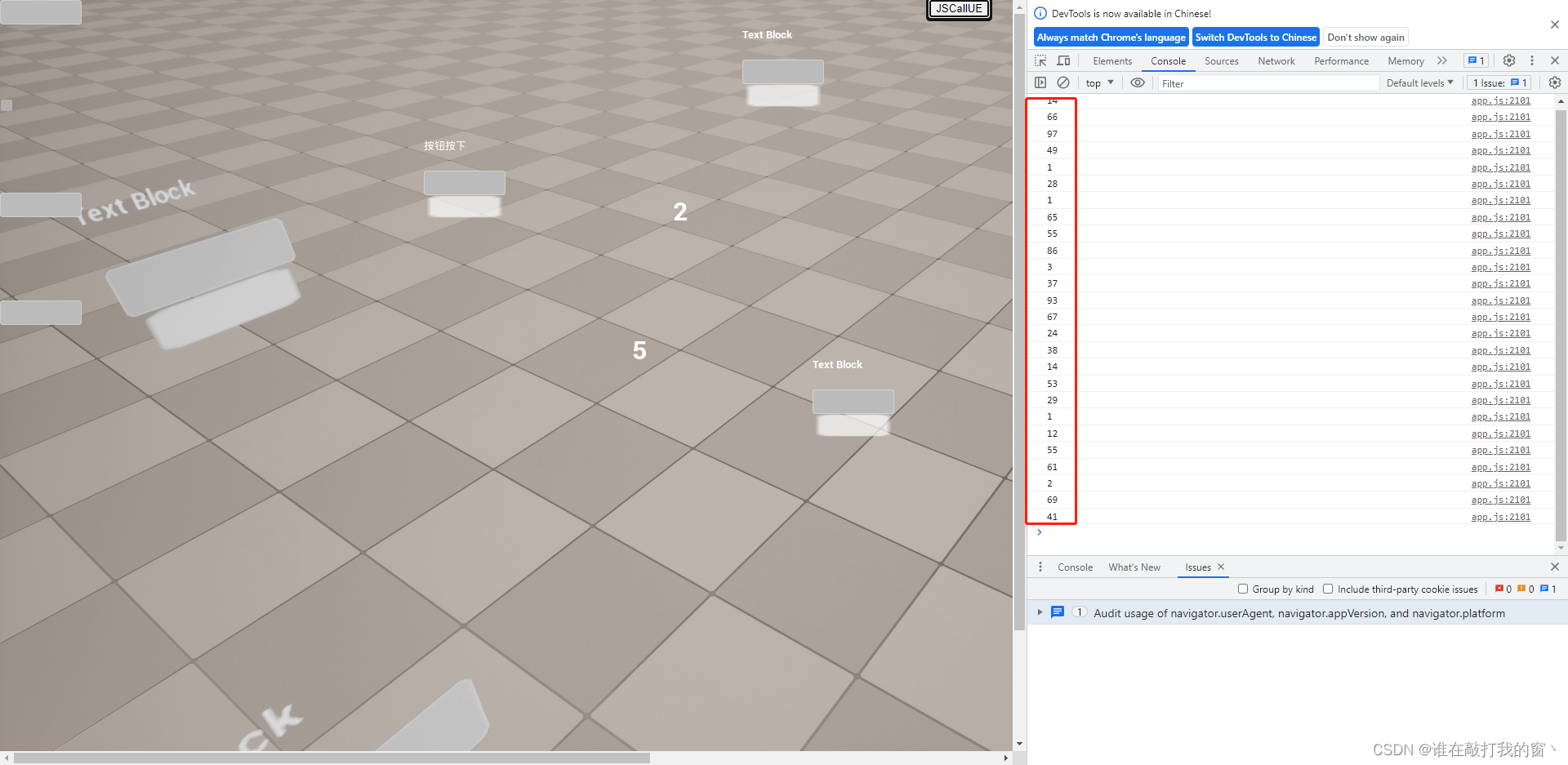
JS通信UE
JS把数据传输到UE中
前端添加代码:
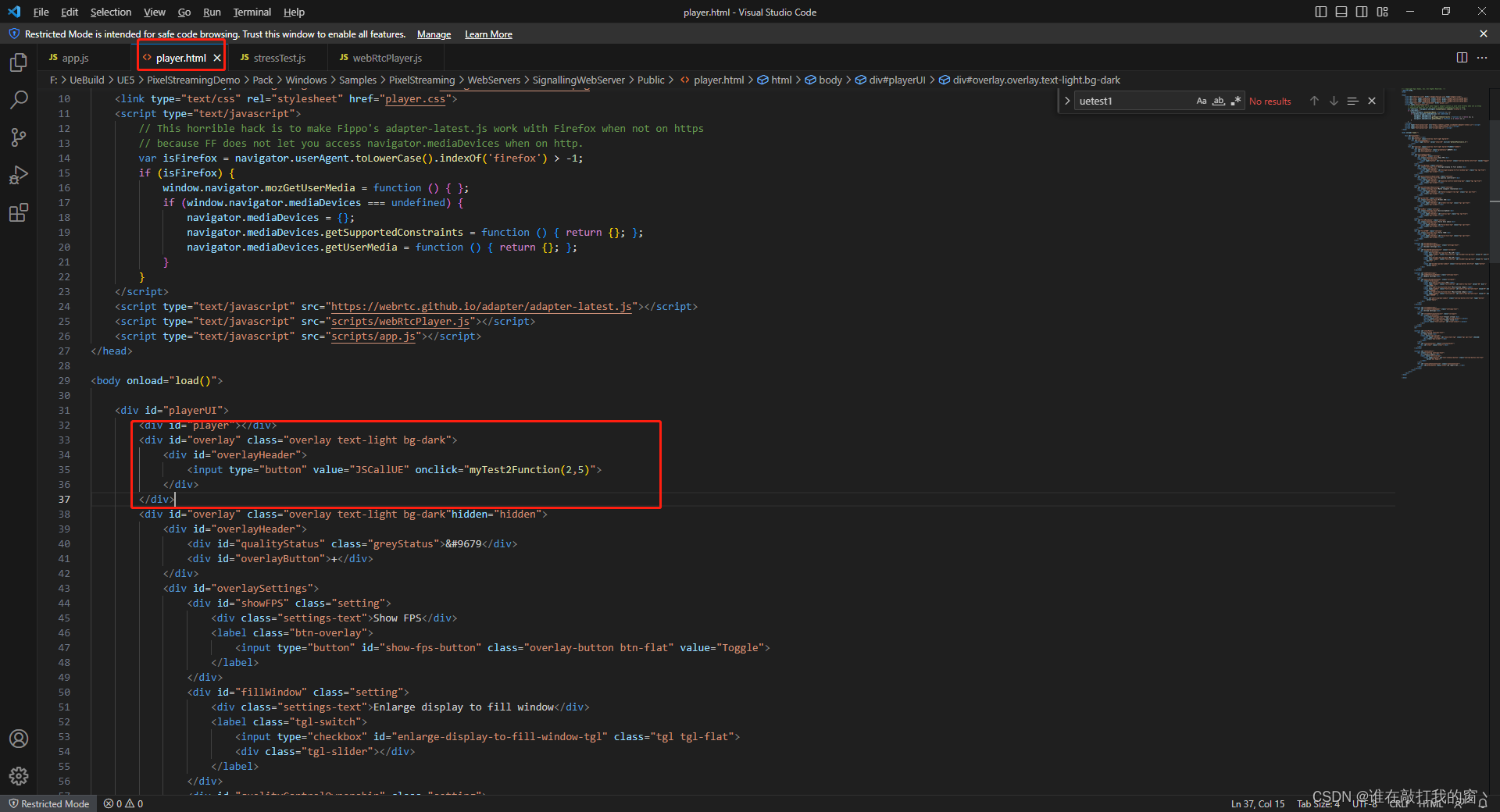
在player.html 找到load()方法,添加一个按钮,并且绑定事件myTest2Function(参数1,参数2)
1 | <div id="overlay" class="overlay text-light bg-dark"> |
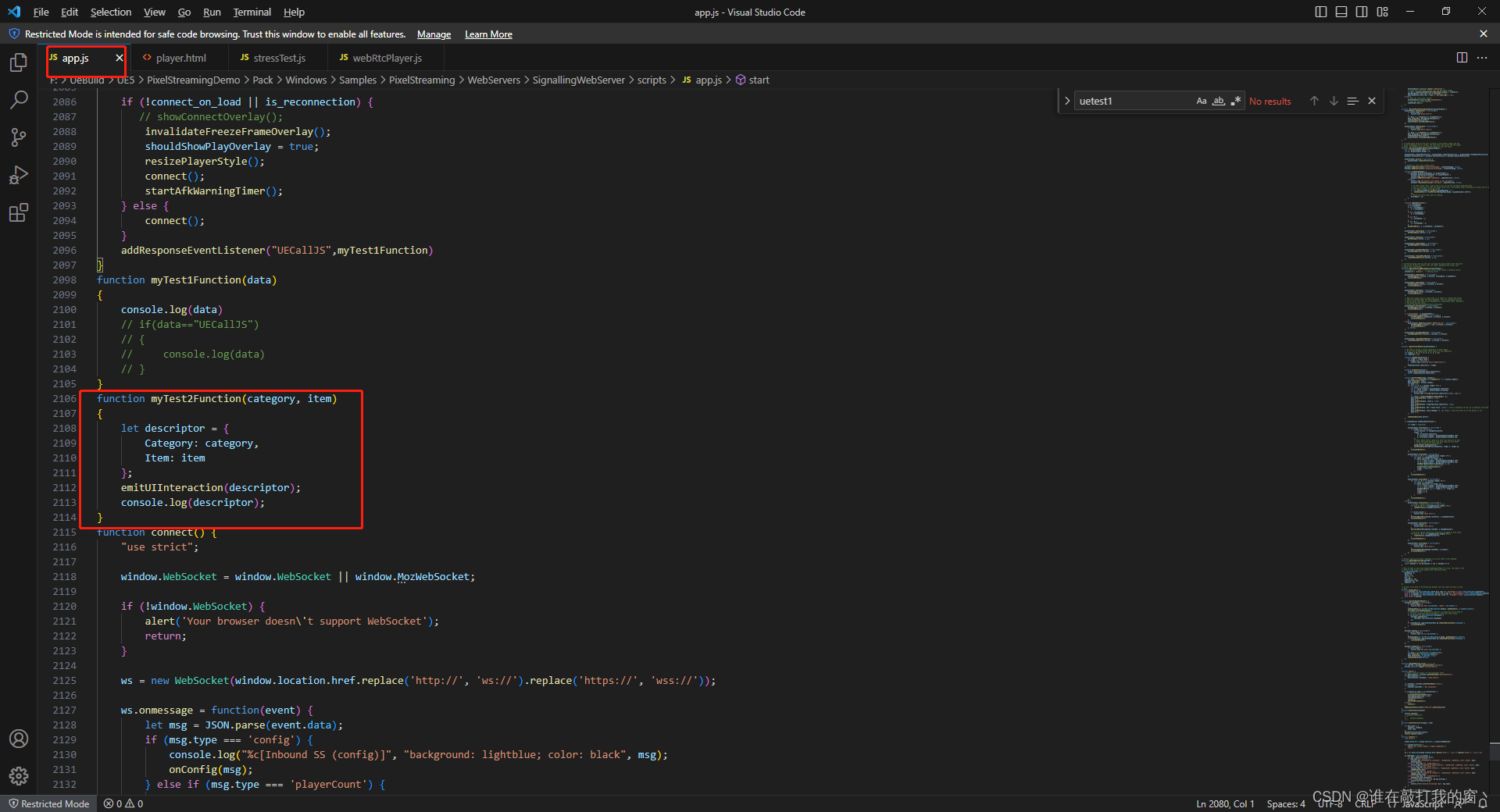
在app.js中添加myTest2Function(category, item)方法
1 | function myTest2Function(category, item) |
UE添加蓝图:
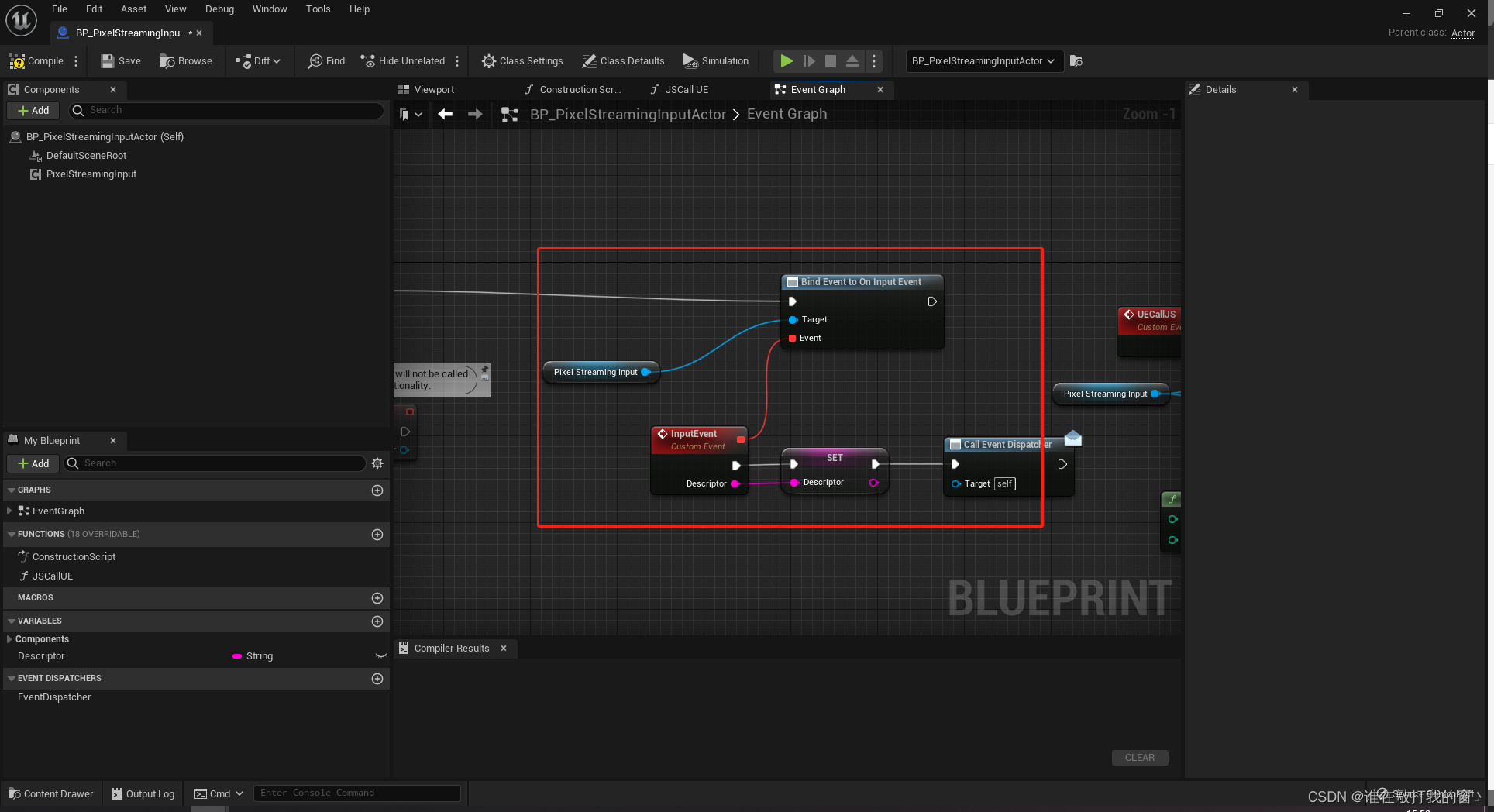
绑定像素流输入事件,监听JS传过来的数据
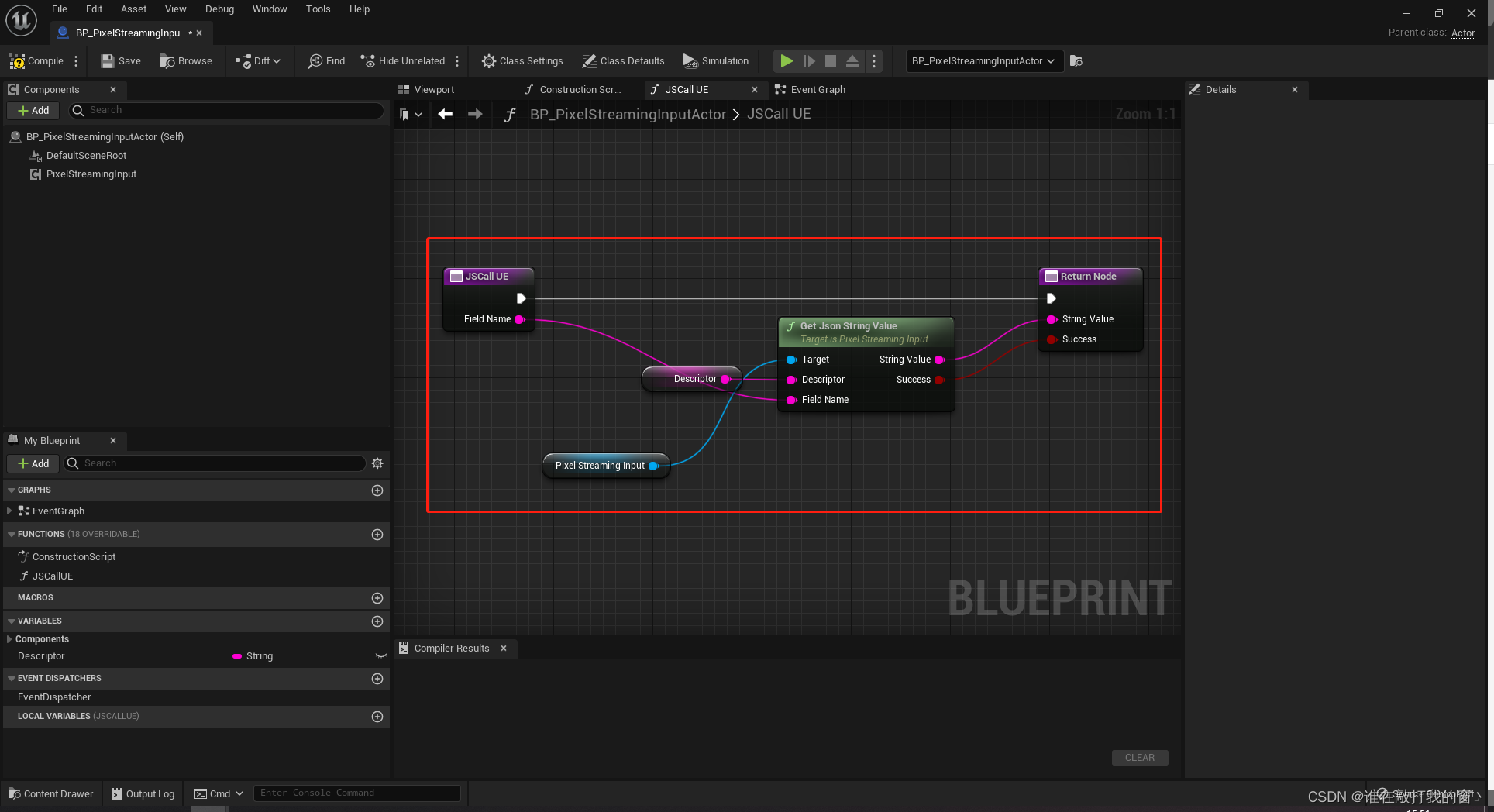
使用GetJsonStringValue节点解析JS传入过来的数据
Descriptor:JS传过来的数据
FieldName:JS端传过来的字段名类似Json取值,键值对形式
StringValue:FieldName所对应的值